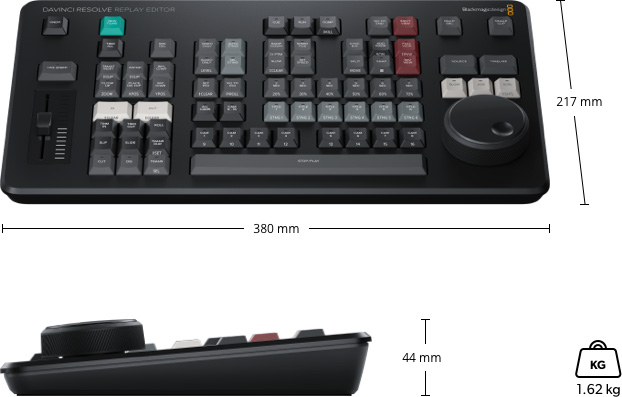
This premium editing keyboard is engineered to dramatically accelerate the post production workflow by blending traditional tactile editing methods with modern non linear efficiency. Its robust all metal construction provides the solidity required for daily professional use, while the full sized layout ensures familiarity for editors transitioning from standard QWERTY keyboards. The integrated search dial stands at the center of its design and transforms the editing experience by enabling precise jogging, shuttling and trimming directly from the keyboard. Its weighted metal mechanism offers smooth handling, allowing rapid repositioning within the timeline and precise frame accurate control that far surpasses the responsiveness of a conventional mouse.
Beyond basic navigation, the built in clutch system gives fine control during live trimming. By pressing dedicated trim keys, the dial becomes a real time adjustment tool that makes ripple, roll and slide trims significantly faster to perform. This hands on approach maintains creative flow by minimizing on screen pointer movements and keeping both hands engaged. Editors can perform simultaneous operations such as marking edit points, refining transitions and navigating media, leading to a more cohesive and uninterrupted workflow. The keyboard incorporates specialized transport controls positioned for quick thumb access, making it easy to start and stop playback without breaking concentration.
Dedicated keys for source tape mode further streamline clip browsing. This feature allows all media within a bin to be viewed as a single continuous reel, emulating the speed of linear tape based editing systems but with the flexibility of modern digital media. Additional function areas include trimming controls, timecode entry, audio level adjustments and rapid bin sorting, creating a unified hardware interface that integrates seamlessly with editorial tasks. The result is a workflow optimized for speed, accuracy and reduced fatigue over long sessions.
Installation is straightforward through a USB C connection, and once connected it acts as both a traditional keyboard and a specialized control surface for accelerated editing. Two USB Type A ports are built in to support peripherals such as a mouse or external storage devices. Its design also allows for optional inset desk mounting, making it a permanent part of a professional suite.