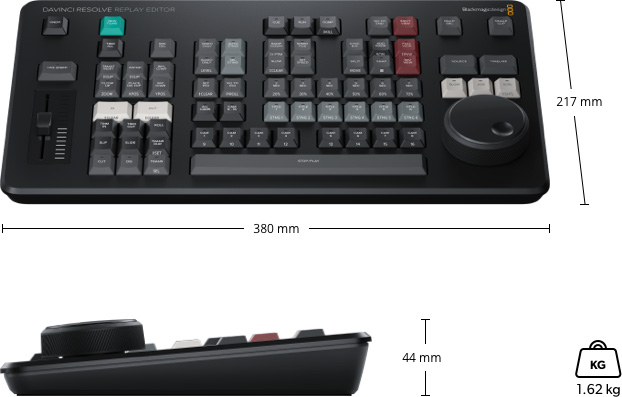
The DaVinci Resolve Replay Editor is a dedicated hardware control panel designed to deliver fast, intuitive multi camera editing for live sports replay and news cutting workflows. Created specifically to integrate with DaVinci Resolve Replay, this compact controller transforms the software into a powerful broadcast replay system by providing direct, tactile access to the most important replay and editing functions. The layout is optimized for speed, allowing operators to react instantly to live action without relying on complex keyboard shortcuts or mouse driven interfaces.
At the core of the experience is a set of clearly defined buttons that make camera selection, clip review and playback sequencing extremely efficient. Operators can quickly mark points of interest, scroll back through recorded material and select alternative camera angles while playback is running. The hardware design supports show sequencing, enabling smooth transitions between angles during replay, just like traditional high end replay systems used in broadcast environments. Once a replay sequence is complete, the material can be instantly dumped into a timeline, preserving speed changes and transitions for further editing or immediate publishing.
A key advantage of this controller is its tight integration with the DaVinci Resolve editing environment. Replays are not disposable moments but fully editable timelines that can be enhanced with titles, color correction, visual effects and audio processing. This makes it possible to turn live replays into finished highlights, promos or social media clips within seconds, all from the same system. When used with shared storage and multiple recording sources, such as HyperDeck recorders, additional input channels can be added easily, while DaVinci Resolve handles playback and editing from a single unified interface.
Connectivity is flexible and designed for modern production setups. The controller connects via USB C or Bluetooth, allowing both wired and wireless operation. An internal rechargeable battery ensures clean desk setups without additional power adapters, while USB C can also be used for external power and charging. Broad operating system support makes it suitable for macOS, Windows and Linux based systems commonly used in broadcast and live production facilities.
By combining dedicated hardware control with the full creative power of DaVinci Resolve, this panel delivers a new approach to live replay that bridges broadcast operation and post production creativity in a single workflow.